Proven Firewall Change Management Strategies for 2026
7 Proven Firewall Change Management Strategies for 2026
The average enterprise firewall contains over 300 rules, and studies show that 20–50% are shadow rules that never match live traffic. This is the reality that makes firewall change management one of the most critical — yet most neglected — disciplines in IT security today.
Without a structured firewall change management process, organizations face compliance gaps, increased operational risk, and rule bases that spiral out of control. Manual workflows using spreadsheets and email threads cannot keep pace with modern network demands.
This guide covers everything you need to implement firewall change management that actually works. Whether you manage 5 firewalls or 500, you will find actionable steps, automation strategies, and compliance frameworks from our enterprise security services ready to deploy today.
What Is Firewall Change Management?
Firewall change management is the structured process of requesting, reviewing, approving, implementing, and auditing changes to firewall rule bases. Every rule modification follows a documented workflow with proper authorization and full accountability.
The distinction between managed and ad-hoc changes matters enormously. When an engineer SSHs into a firewall and adds a rule on the spot, it works for one or two devices. At scale, this creates security blind spots that both auditors and attackers exploit.
Compliance frameworks explicitly require documented change control for network infrastructure. PCI DSS Requirement 1.1.1 mandates formal approval and testing for all firewall configuration changes. ISO 27001 Annex A.13 and the EU NIS2 Directive Article 21 set similar requirements.
Configuration management and change control are related but distinct. Configuration management tracks the current state of your firewalls. Change control governs how that state is allowed to change — who can request it, who approves it, and how it is validated.
Why Firewall Change Management Matters in 2026
The Compliance Pressure
PCI DSS 4.0 enforcement began in March 2025, and auditors now actively verify that organizations have documented firewall change management procedures. If your changes are tracked in email threads and spreadsheets, you will fail your next audit.
The NIS2 Directive requires EU organizations to implement risk management measures that include configuration control for network infrastructure. ISO 27001:2022 reinforces this with explicit controls for network security management. For organizations managing sensitive data, our C3 compliance platform helps map these requirements automatically.
The Operational Reality
The average firewall change takes 5 to 14 days through manual workflows. According to Gartner research, 73% of network outages involve human error in configuration changes. These are not edge cases — they are the daily reality of teams without proper change control.
Shadow rules accumulate silently in every firewall estate. Studies consistently show that 20–50% of rules in a typical enterprise are unused or redundant. Multi-vendor environments running Palo Alto, Fortinet, and Check Point simultaneously multiply this complexity exponentially.
The Cost of Getting It Wrong
Network downtime costs an average of $5,600 per minute according to Gartner. PCI DSS violations can result in fines up to $500,000 per incident. The IBM Cost of a Data Breach Report puts the average breach cost at $4.45 million — and misconfigured firewalls are a leading cause.
The Firewall Change Management Process: 6 Steps
A mature firewall change management process follows six distinct phases. Each phase has clear inputs, outputs, and accountability. Skipping any step introduces risk that compounds over time.
Step 1: Change Request
Every change workflow starts with a formal request. The requester must specify source IP or subnet, destination IP or subnet, port and protocol, and the business justification for the change.
Who can request changes depends on your organization. Typically, network engineers, application teams, and the security team all have authority to submit requests. The key is that every request is documented — no verbal or chat-based approvals.
Step 2: Risk Assessment
Before any rule is implemented, you need an impact analysis. Will this change conflict with existing rules? Does a broader rule already cover this traffic? Are there overlapping or redundant rules that should be cleaned up first?
Shadow rule detection is critical here. A shadow rule is one that never matches traffic because a broader rule above it already handles all matching packets. Our FwChange platform detects shadows, overlaps, and conflicts automatically during the risk assessment phase.
Step 3: Approval Workflow
Not all changes carry the same risk. A well-designed change control system uses tiered approvals based on severity. Low-risk changes might need a single approval. High-risk changes involving critical infrastructure should require multi-level sign-off.
Define clear SLA targets for each tier. Low-priority changes should complete within 24 hours. High-priority changes within 8 hours. Critical or emergency changes need a fast-track process that completes within 4 hours while still maintaining documentation.
Step 4: Implementation
Always create a pre-change backup before touching the rule base. Schedule changes within defined maintenance windows whenever possible. For multi-vendor environments, understand the differences — Palo Alto requires a commit, Fortinet uses an apply, and each vendor has its own validation method.
After implementation, verify that the rule does exactly what was intended. Test traffic flows against the new rule. Confirm that no unintended access was opened or blocked.
Step 5: Post-Implementation Review
Monitor the new rule’s hit count in the first 24–48 hours. If the rule is not matching traffic, investigate whether the request parameters were correct. Update all documentation and close the change ticket with verification evidence.
Step 6: Ongoing Audit
The process does not end when the ticket is closed. Schedule quarterly rule reviews to identify unused, expired, or overly permissive rules. Implement rule recertification where business owners confirm they still need specific access paths. Read more about systematic rule reviews in our security blog.
Manual vs. Automated Firewall Change Management
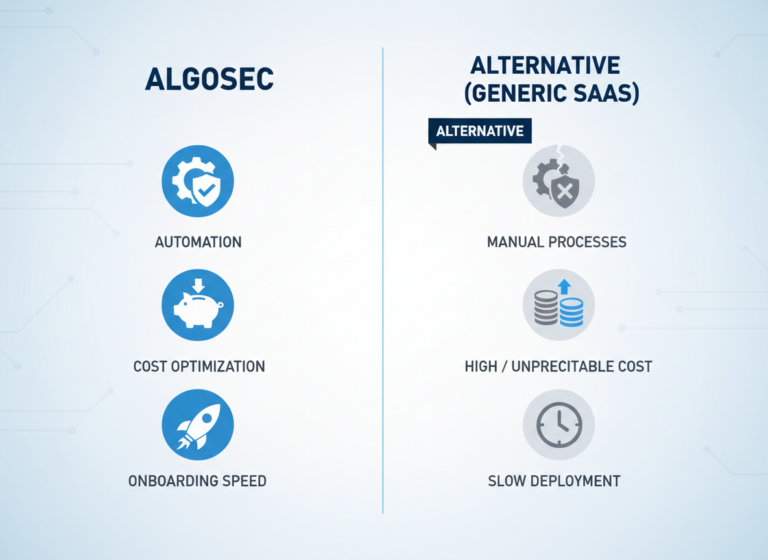
Many teams still manage firewall changes using spreadsheets, email threads, and tribal knowledge. This works when you have one to five firewalls. Beyond that, manual firewall change management becomes a liability rather than a process.
The differences are stark. Manual change requests take 5–14 days while automated platforms process them in minutes to hours. Error rates drop from 15–25% to under 2%. Audit trails go from incomplete and scattered to automatic and immutable.
Compliance reporting is where automation truly shines. Manual reporting takes days to compile and is often incomplete. An automated platform generates one-click compliance exports for PCI DSS, ISO 27001, and NIS2 — exactly what auditors need.
The cost argument is simple: manual processes scale linearly. More firewalls means more engineers and more risk. Automation provides a fixed platform cost that handles 10 firewalls as efficiently as 500. See our FwChange product page for a full feature breakdown.
How to Choose Firewall Change Management Software
Not all firewall change management tools are created equal. When evaluating platforms, focus on five must-have capabilities that separate serious tools from glorified ticketing systems.
Must-Have Features
First, multi-vendor support is non-negotiable. Your platform must natively support Palo Alto, Fortinet, Check Point, Cisco, and open-source firewalls like OPNsense. Second, you need a real approval workflow engine with multi-level, role-based authorization — not just a checkbox.
Third, rule analysis capabilities are essential. The software should detect shadow rules, overlapping rules, redundant rules, and conflicting rules automatically. Fourth, the audit trail must be immutable and exportable for compliance reporting. Fifth, integration with ITSM tools like Jira, ServiceNow, or Taiga keeps your change workflows connected to broader IT operations.
Questions to Ask Vendors
Before committing, ask vendors these questions: What firewall vendors do you support natively? Can I try before I buy with a free tier or scanner? What is the deployment timeline — 2 hours or 2–4 weeks? Are contracts annual lock-in or monthly? Is there an on-premise option or cloud-only?
The answers separate enterprise-grade tools from those that create more problems than they solve. FwChange, for example, deploys in under 2 hours and offers a free scanner with no signup required.
Firewall Change Management Best Practices
After 17 years of managing enterprise firewall estates across industries, these are the practices that consistently separate high-performing security teams from those drowning in technical debt.
Document everything. If a change is not documented, it did not happen — at least not as far as auditors are concerned. Separate duties. The person requesting a change should never be the same person approving or implementing it. Automate risk assessment. Human review of 500+ rules does not scale.
Review quarterly. Rules accumulate faster than anyone cleans them up. Test before production. Lab validation prevents outages. Set SLAs. Changes without deadlines rot in approval queues. Keep rollback plans. Every change should be reversible within minutes. Use change windows. Schedule changes during maintenance windows, never push ad-hoc.
Firewall Change Management for MSPs
Managed service providers face unique challenges when managing change processes across multiple customer environments. You are dealing with different firewall vendors, different compliance requirements, and different SLA expectations at every client site. A process that works for a single enterprise often falls apart in an MSP context.
Multi-tenant isolation is critical. Each customer’s rules, changes, and audit history must be completely separated. White-label reporting lets you deliver professional compliance reports under your own brand. Standardized workflows across diverse customer environments reduce training costs and error rates.
Consider billing integration as well. In many MSP models, a configuration change is a billable event. Your platform should track changes per customer for accurate invoicing. Contact our team to learn how FwChange handles multi-tenant MSP environments with per-customer billing and SLA tracking.
Frequently Asked Questions
What is firewall change management?
It is the structured process of requesting, approving, implementing, and auditing changes to firewall rule bases. It ensures security, compliance, and accountability for every rule modification across your network infrastructure.
Why is structured change control important for firewalls?
Without it, rule bases accumulate shadow rules (20–50% of typical enterprises), compliance gaps emerge, and the risk of outages from misconfigured rules increases exponentially. Documented change control is required by PCI DSS, ISO 27001, and NIS2.
How long should a firewall change take?
With automation, changes take minutes to hours. Without automation, 5–14 days is typical. Best practice SLA targets are: low priority under 24 hours, high priority under 8 hours, and critical changes under 4 hours.
What tools support change control for firewalls?
Enterprise tools include Tufin, AlgoSec, FireMon, and Skybox. For SMBs and MSPs, FwChange offers a modern alternative with faster deployment and transparent pricing. Many teams still rely on spreadsheets and email, though this approach does not scale beyond a handful of devices.
How does change control relate to PCI DSS?
PCI DSS Requirement 1.1.1 mandates a formal process for approving and testing all network connections and changes to firewall configurations. Without documented processes, you cannot pass a PCI DSS audit.
What is a firewall change request?
A formal document specifying the source, destination, port, protocol, and business justification for a proposed rule change. It is the starting point of every structured change workflow.
Start Auditing Your Firewall Rules Today
Implementing proper firewall change management starts with understanding your current rule base. Upload your firewall rules to our free scanner and get an instant analysis — shadow rules, overlaps, redundancies, and conflicts detected in seconds with no signup required.
The scanner works with Palo Alto, Fortinet, Check Point, Cisco, and OPNsense configurations. After 17 years of enterprise IT security experience, we built FwChange to solve the exact problems outlined in this guide. Start your journey toward automated change control today.